1.7. Classes and Instances
In Rexx, objects are
organized into
classes. Classes are like templates;
they define the methods and variables that a group of similar objects have
in common and store them in one place.
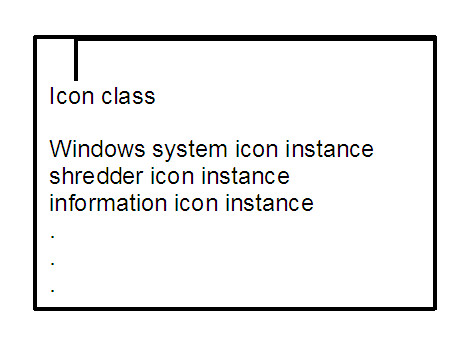
If you write a program to manipulate some screen icons, for example, you
might create an Icon class. In that Icon class you can include all the icon
objects with similar actions and characteristics:
All the icon objects might use common methods like DRAW or ERASE. They
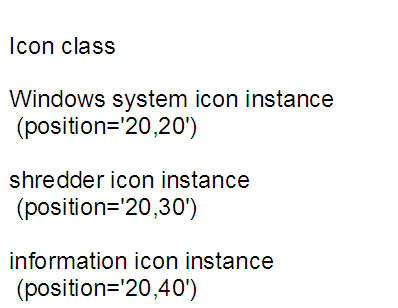
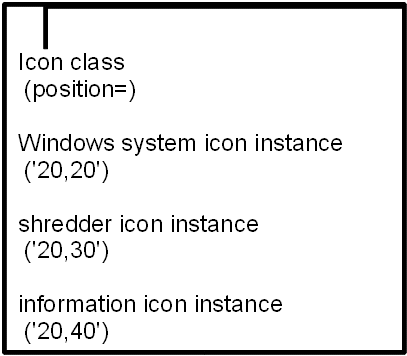
might contain common variables like position, color, or size. What makes each
icon object different from one another is the data assigned to its variables.
For the Windows system icon, it might be position="20,20",
while for the shredder it is "20,30" and for information it is "20,40":
Objects that belong to a class are called
instances of that class. As instances of the Icon class,
the Windows system icon, shredder icon, and
information icon
acquire the methods and variables
of that class. Instances behave as if they each had their own methods and
variables of the same name. All instances, however, have their own unique
properties—the
data associated with the variables.
Everything else can be stored at the class level.
If you must update or change a particular method, you
only have to change it at one place, at the class level. This single update
is then acquired by every new instance that uses the method.
A class that can create instances
of an object is called an
object class.
The Icon class
is an object class you can use to create other objects with similar properties,
such as an application icon or a drives icon.
An object class is like a factory for producing instances of the objects.